Stage
Tracks

The whole band in your hands. Every jump lands on the beat.
Play a song’s separate stems together with a click and spoken guide cues, and jump between sections or loop one, always landing on the beat. Everything runs on the device: no account, no server, no internet needed on stage.
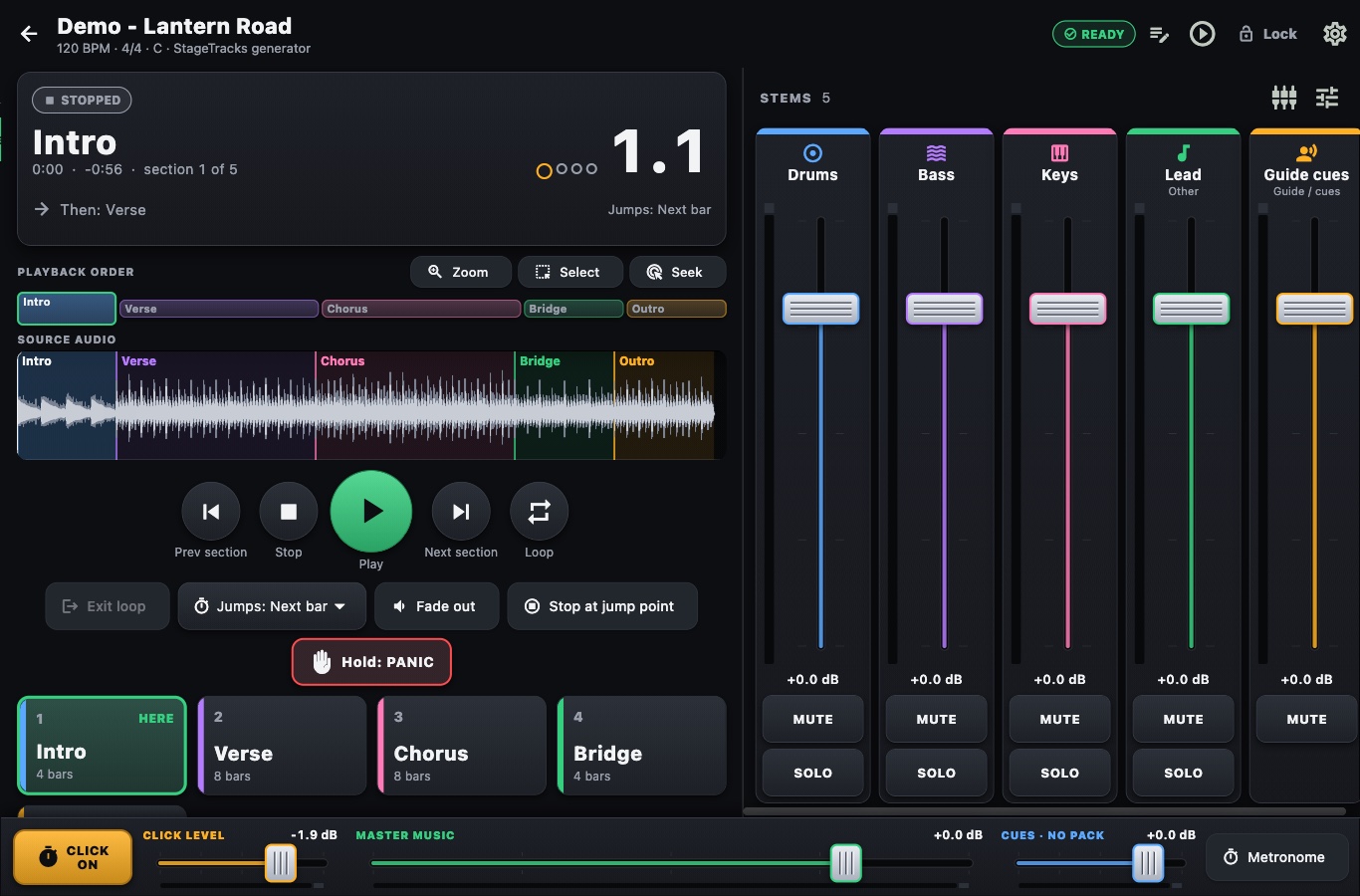
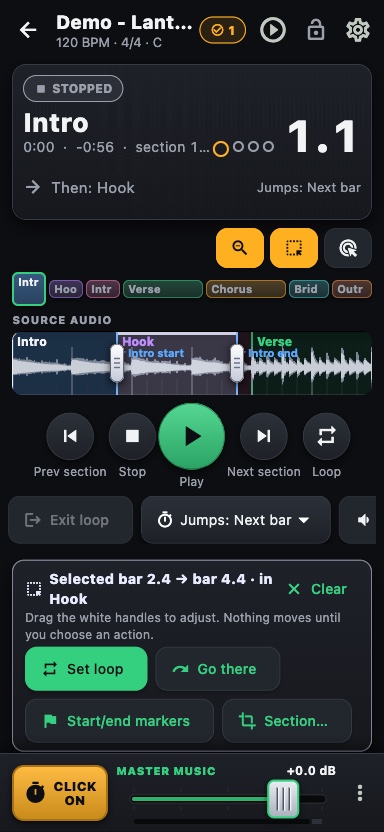
Real screens from the app, shown with its sample song.
The one thing it does well
Tap now. It lands on the one.
Tap a section and StageTracks queues it for the next bar line. It tells you what is coming and how long until it lands, then jumps in time with the music. Tap again to cancel.
- 01
Tap a pad
Chorus is queued. The screen counts down: 1 bar, 2 beats.
- 02
Keep playing
Verse 2 runs to the end of the bar. The click and the spoken count never skip.
- 03
Chorus, on the beat
Every stem jumps together. Loop it as long as the crowd wants it.
For the sound engineer
Every stem on its own channel.
Plug into an audio interface with several outputs and send each stem to its own output. The drums, the bass and the keys reach the house desk as separate channels, so the front-of-house engineer mixes your backing tracks like a live band.
- One output or a stereo pair per stem. Spread them all in one tap, or set each by hand.
- Click and cues stay with you. Send them to your own monitors, not the house.
- It tells you what it needs. The app shows how many outputs a song uses, and warns you if your interface has fewer.
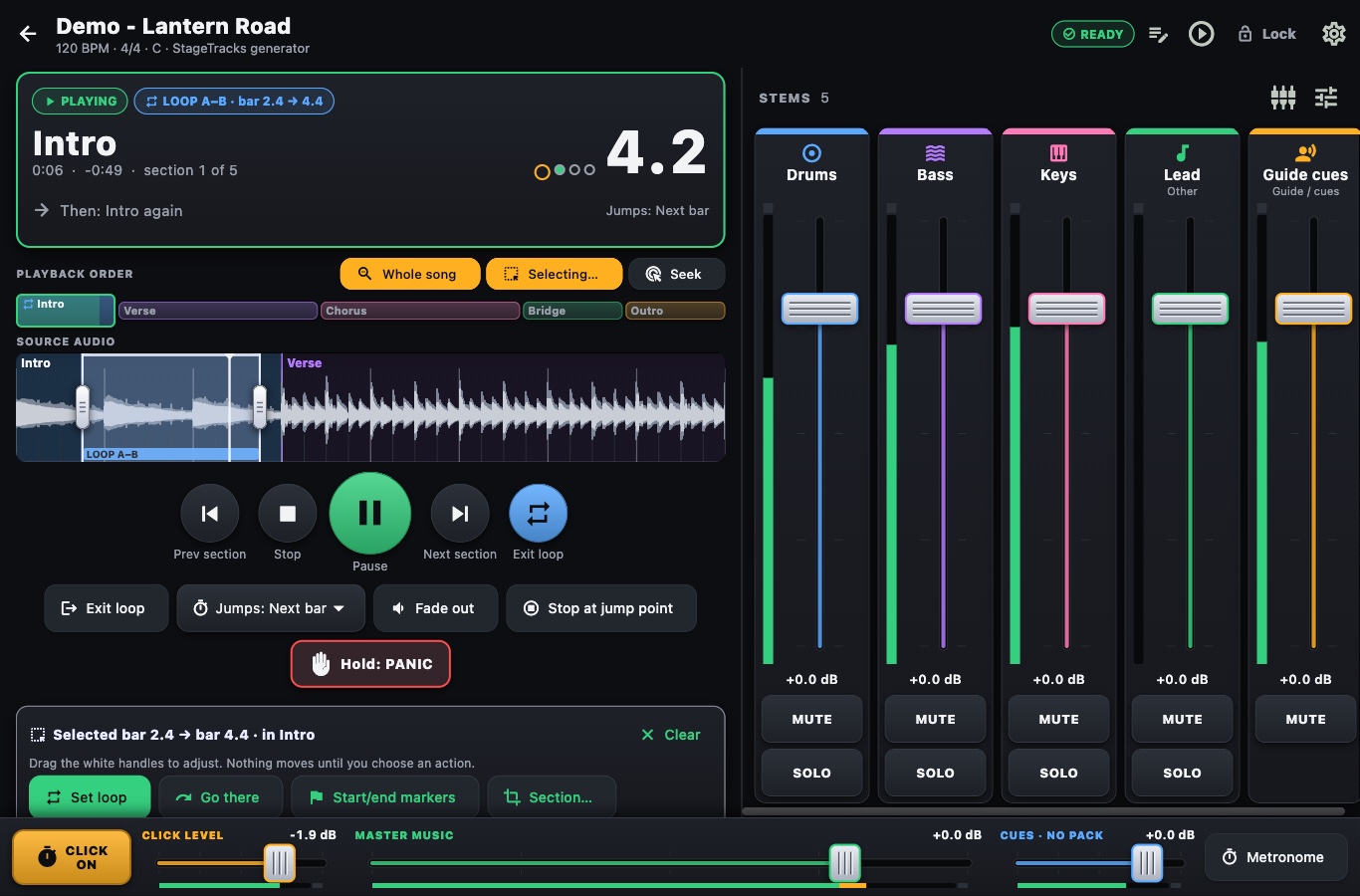
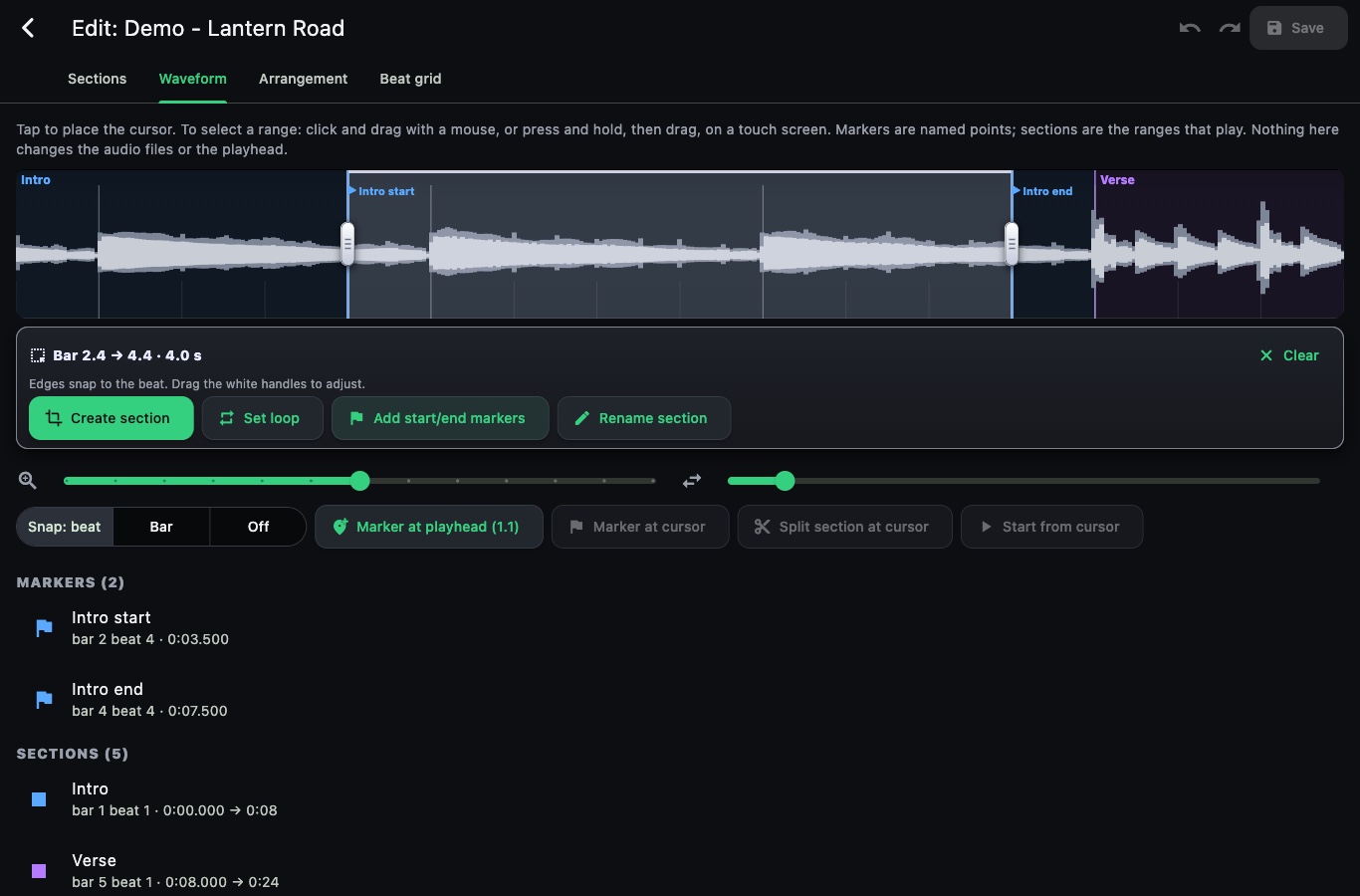
Real screens from the app, shown with its sample song.
Features
What StageTracks does
Stems you can mix on stage
Large faders that never jump to your finger, mute, solo and live meters for every stem.
Jumps that land on the beat
Queue a section for the next bar, loop one, or move straight from one song into the next in a setlist.
A click that fits the music
Six click sounds or spoken numbers, count-ins, and odd meters such as 7/8 with their own accents. Muting the click leaves the music running.
Spoken guide cues
The device’s own voice announces the next section and counts you in.
Keys and MIDI controllers
Rebind the keyboard, or learn notes, pedals and faders from a MIDI controller.
Built for a live show
A lock against accidental edits and a panic button that stops everything at once.
Offline by design
Your songs stay on the device. There is no account and no server.
Stems to the front of house
On an audio interface with several outputs, send each stem to its own output, one channel or a stereo pair each, so the sound engineer mixes your band on the house desk.
How it works
From first open to the job done
- Import a song’s stems. Any common audio format works, and your originals are never changed.
- Mark the sections, and set the tempo and meter. StageTracks estimates both and tells you how sure it is.
- Build a setlist and choose how each song moves into the next.
- Plugged into a house desk? Send each stem to its own output.
- On stage, tap a section to queue it for the next bar, or loop one until you exit.
- Mix the stems and the click as you play, with the show locked against accidents.
Questions
Asked about StageTracks
Does it need an internet connection?
No. StageTracks works offline and needs no account.
Which devices does it run on?
A Mac, an iPhone or an iPad. Android and Windows versions are set up but not built.
Which audio files can I import?
WAV, AIFF, FLAC, MP3 and Ogg Vorbis everywhere, and M4A, AAC and Apple Lossless on Apple devices. Anything that is not already a WAV is converted once, at import.
Can I send each stem to the house mixing desk?
Yes. With an audio interface that has several outputs, send each stem to its own output, or give each a stereo pair, and the front-of-house engineer gets them as separate channels. Click and spoken cues can go to your own monitors instead. Stems beyond the outputs your device has stay silent, and the app tells you how many outputs the song needs.
Can it play in odd time signatures?
Yes. Any number of beats from 1 to 99 over 1, 2, 4, 8 or 16, with accents from a grouping such as 2+2+3.
Is StageTracks the final name?
Not necessarily. It is a working name.
Waitlist
Take the backing tracks on stage.
StageTracks is in development. Leave your email and we will send one message when you can install it. After that we delete your address.